BrandPilot: connecting brand strategy and product planning
A self-initiated product concept exploring how a single guided workflow can take an early-stage idea to positioning, a scoped MVP and a phased roadmap — built as a production-quality front-end.
- Role
- Product strategy, UX/UI design, front-end engineering
- Type
- Independent concept project
- Stack
- Next.js, TypeScript, Tailwind, shadcn/ui
- Data
- Fictional demo dataset only
01 · The business problem
Strategy and product work drift apart
Early-stage teams often write a brand positioning document and, separately, a feature backlog. The two rarely reference each other: positioning claims are not reflected in the MVP, and roadmap trade-offs are made without the customer problems in view.
Strategy consultants and product managers bridge this gap manually through workshops and templates. The concept question was: what would a lightweight, self-serve tool for that bridging work look like?
02 · Product concept
One discovery, many connected deliverables
BrandPilot asks a single set of discovery questions and derives every downstream artefact from them — brand statements, personas, problem-to-solution mapping, a feature backlog, a roadmap and a visual direction. Because everything shares one data model, a change to a customer problem flows through to the mapping, the journey and the exported document.
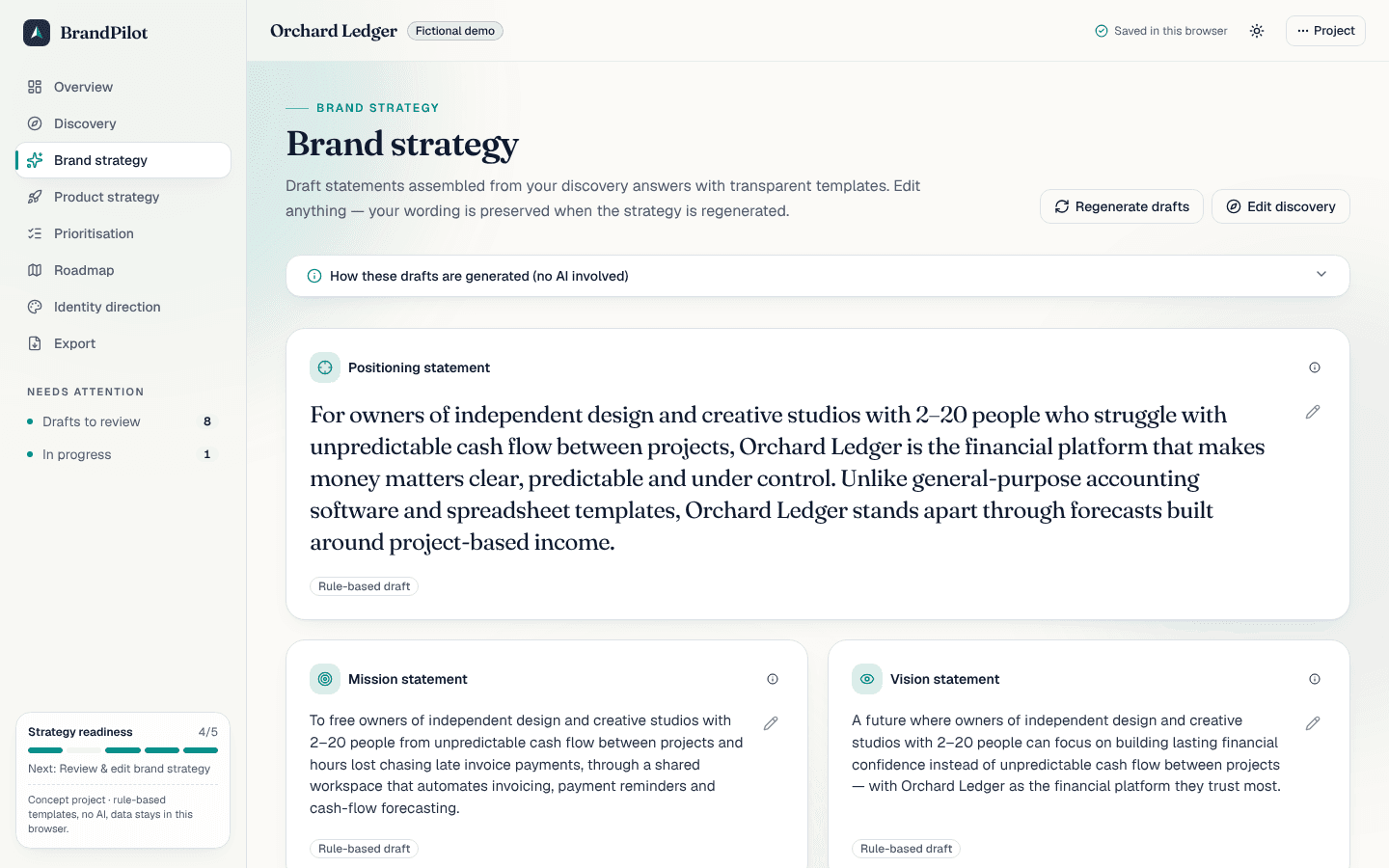
A deliberate decision was not to use generative AI. Outputs come from documented templates and lookup tables, so they are predictable, explainable and free to run. Each statement exposes the rule that produced it, and the product never claims to be “intelligent”.
03 · UX decisions
Designing for confidence, not just completion
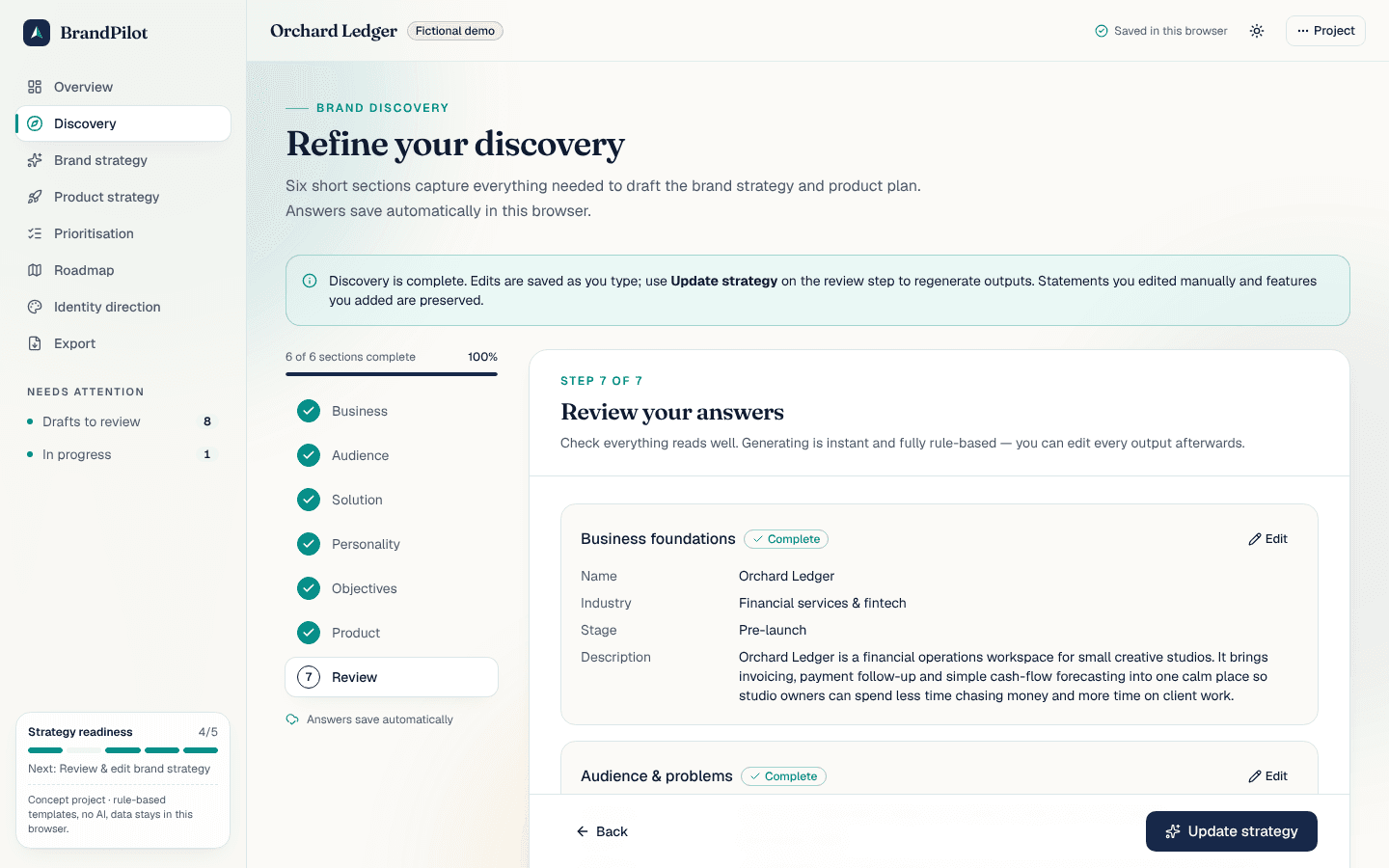
- Short, validated steps. Discovery is split into six sections with inline validation, helpful examples of the expected phrasing and a review step that links back to each section.
- Nothing is lost. Answers autosave on every change; regenerating the strategy preserves statements the user edited and features they added.
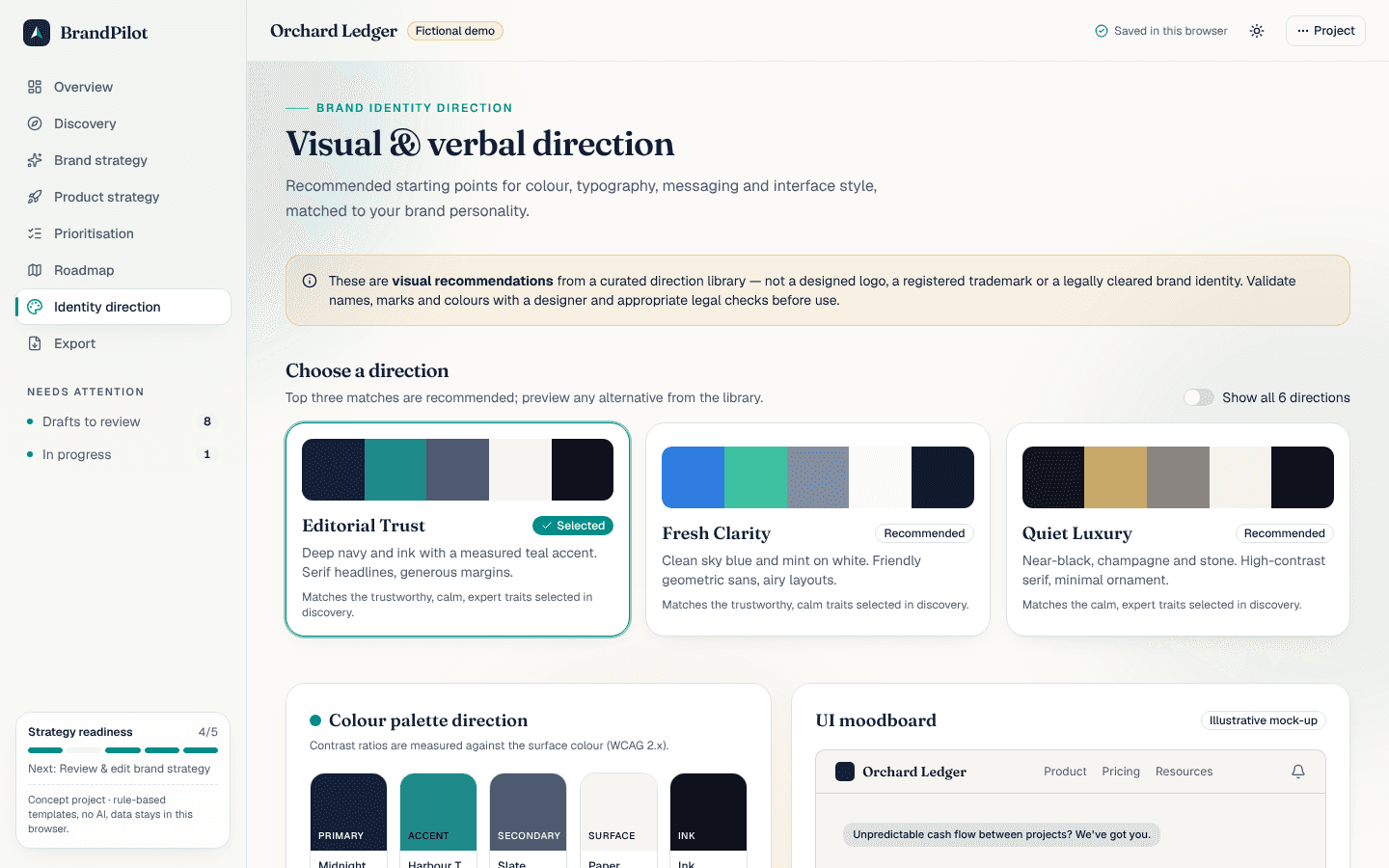
- Drafts, clearly labelled. Generated text carries a “Rule-based draft” badge until edited; personas are marked illustrative; visual directions carry a trademark disclaimer.
- Keyboard parity. Drag-and-drop on the roadmap has arrow-button equivalents; the matrix has a full list view; every dialog is focus-trapped and dismissible with Escape.
- Calm visual language. Deep navy, off-white and a restrained teal accent, editorial serif headings and generous whitespace — closer to a premium B2B tool than an admin template. Light and dark themes are both designed.
04 · Product strategy approach
Established frameworks, made interactive
Positioning
Geoffrey Moore’s template: For [audience] who [problem], [name] is the [category] that [benefit]. Unlike [alternative]…
Product vision board
Vision supported by target group, needs, product and business goals.
Value vs. effort
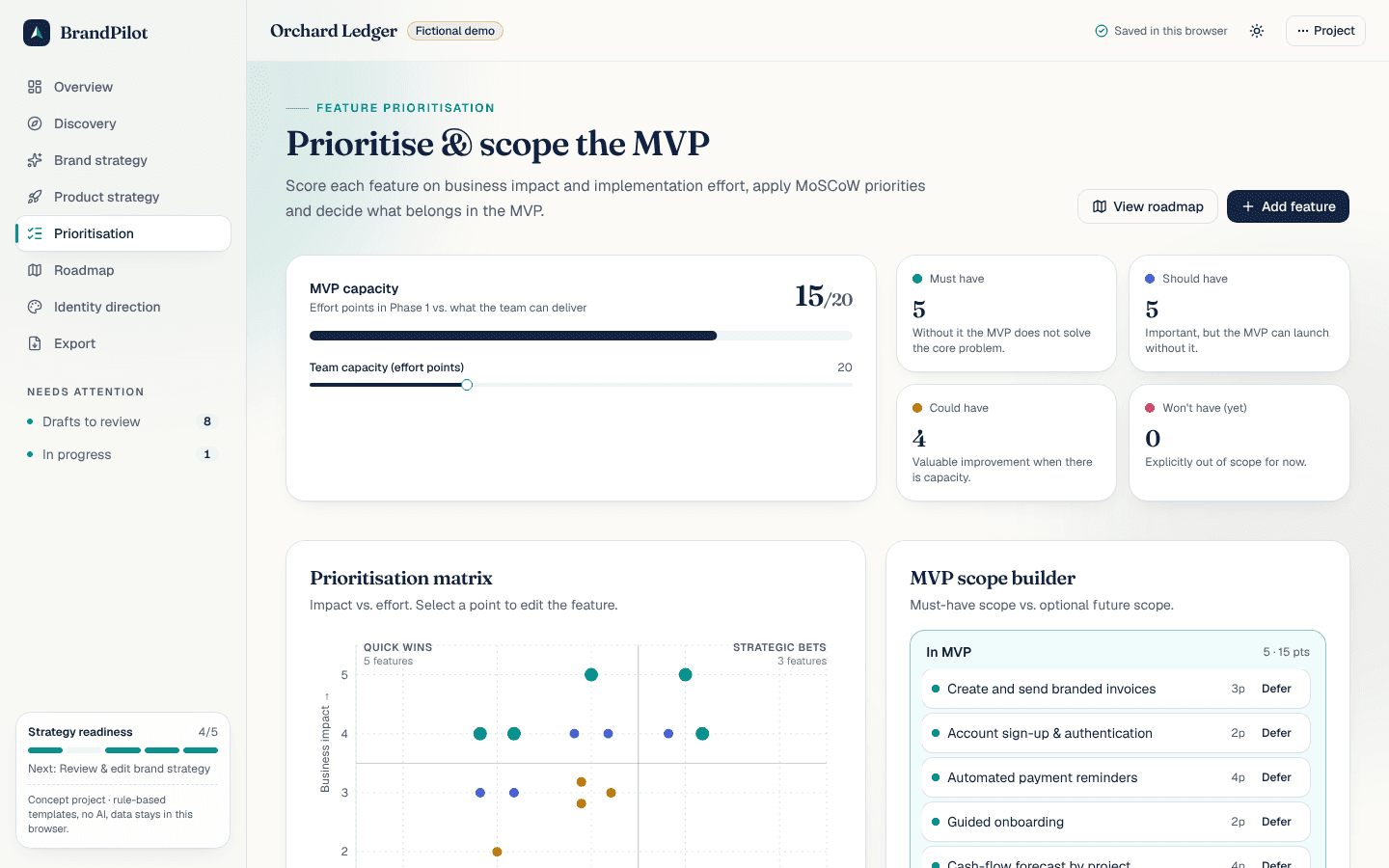
Score = impact × 2 − effort, mapped to quick wins, strategic bets, fill-ins and items to reconsider.
MoSCoW & capacity
Must/should/could/won’t, with MVP effort compared against a capacity budget sized by the planning horizon.
05 · Live application preview
The real prioritisation matrix
Below is the actual matrix component from the studio, rendered with the fictional demo project's backlog. Hover or select points to inspect features.
Select a point to inspect a feature.
06 · Screenshots
Inside the studio
Captured from the running application with the fictional “Orchard Ledger” demo project.
07 · Technical architecture
A small, testable core
Next.js App Router
Static marketing pages; studio routes render client components inside a shared shell with error boundaries.
External store + localStorage
A tiny useSyncExternalStore store owns one project, validates persisted data with Zod and syncs across tabs.
Pure generators
Brand, product, identity and next-step generators are pure functions of the discovery answers — deterministic and unit-tested.
Validated at the edges
React Hook Form + Zod for every form; imported backups and stored data pass the same schema.
Client-side PDF
jsPDF is lazy-loaded only on export and renders a paginated A4 document with tables and colour swatches.
Tests
Vitest covers generators, prioritisation and store mutations; Playwright covers the ten primary user flows end-to-end.
src/
├─ app/                 routes: /, /case-study, /studio/*
├─ components/
│  ├─ marketing/        landing & case-study sections
│  ├─ studio/           shell, wizard, strategy, product, features, roadmap, identity, export
│  └─ ui/               shadcn/ui primitives
├─ lib/
│  ├─ domain/           types, options, Zod schemas
│  ├─ generators/       brand, product, identity, next-steps (pure)
│  ├─ pdf/              jsPDF document builder
│  └─ prioritization.ts scoring, quadrants, scope & progress
└─ store/               external store, pure mutations, React hook
08 · Key implemented features
What works today
- Landing page with a live, interactive preview of the engine
- Six-step discovery wizard with validation, autosave and review
- Brand strategy with eight editable statements and revert-to-draft
- Vision canvas, personas, problem–solution map and user journey
- Custom features with impact/effort scoring and MoSCoW
- Prioritisation matrix and MVP capacity guardrails
- Phased roadmap with drag-and-drop, keyboard moves and status
- Visual directions with WCAG contrast checks and UI moodboard
- PDF strategy export and JSON backup / import
- Fictional demo project, workspace reset, light & dark themes
09 · Future improvements
Where it could go next
- Accounts and cloud sync so teams can collaborate on one project, with comments and version history.
- Optional, clearly labelled AI-assisted rewriting layered on top of the deterministic drafts — never replacing them.
- Customer-interview capture that links evidence to problems, personas and features.
- Exports to slide decks and to issue trackers so the roadmap becomes tickets.
- Usability testing with founders to validate the discovery questions and terminology.
No usage, revenue or client outcomes are reported here because none exist — this is a concept built to demonstrate approach and craft.
Explore the working application
Load the fictional demo or start your own project.